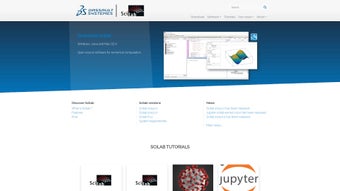

Download Scilab – Free, Secure Numerical Computation Software for Windows, macOS, Linux
Overview: Why Scilab Stands Out in the World of Numerical Computing
Scilab is a free, high‑level programming environment designed specifically for numerical computation, data analysis, and scientific visualization. Originating from a research‑focused community, Scilab provides an extensive toolbox that rivals many commercial alternatives while remaining open‑source and cost‑free. Whether you are a university student tackling differential equations, a researcher optimizing complex models, or an engineer generating 3‑D plots for presentations, Scilab delivers a consistent, cross‑platform experience on Windows, macOS, and Linux.
The core strength of Scilab lies in its rich library of mathematical functions. It handles linear, non‑linear, and differential equation systems with built‑in solvers that are both robust and easy to use. Advanced calculus operations such as symbolic derivation, numerical integration, and interpolation are available without the need for external plugins. In addition, Scilab excels in optimization tasks, offering linear, non‑linear, and quadratic programming tools that integrate seamlessly with its matrix‑oriented workflow.
Beyond raw computation, Scilab shines in graphics. Users can create detailed 2‑D and 3‑D visualizations, animate simulations, and export high‑resolution figures for publications. The platform’s scripting language follows a MATLAB‑like syntax, making the learning curve gentle for those familiar with other engineering tools. To aid newcomers, Scilab ships with a comprehensive introductory PDF that outlines its syntax, core commands, and best practices, ensuring a smooth onboarding experience.
Security and updates are also a priority. The Scilab development team releases regular patches, addressing bugs and adding new functionalities while maintaining backward compatibility. Because it is open‑source, the community can audit the codebase, guaranteeing transparency and trust. In short, Scilab is a versatile, secure, and free numerical computation tool that empowers users across education, research, and industry.
Core Features & Functionalities
Feature List
- Extensive mathematical library for linear, non‑linear, and differential equations.
- Symbolic calculus: derivation, integration, and interpolation.
- Optimization modules covering linear, non‑linear, and quadratic programming.
- Advanced matrix operations and built‑in support for sparse matrices.
- 2‑D and 3‑D graphics engine with animation capabilities.
- Cross‑platform compatibility: Windows, macOS, Linux.
- MATLAB‑compatible syntax for easy migration.
- Integrated development environment (IDE) with code editor, debugger, and console.
- Extensible via external toolboxes (e.g., Xcos for system modeling).
- Comprehensive documentation and introductory PDF guide.
Pros
- Free and open‑source: No licensing fees, with a vibrant community contributing enhancements.
- Powerful numerical engine: Handles complex mathematical problems with high precision.
- Rich visualization tools: Create publication‑ready plots and interactive simulations.
- Cross‑platform support: Consistent experience on Windows, macOS, and Linux.
- Regular updates: Frequent releases improve stability and add new features.
Cons
- Steeper learning curve for beginners: While documentation is thorough, newcomers may need time to grasp the syntax.
- Limited commercial support: Enterprise users rely on community forums rather than dedicated help desks.
- Performance lag on very large datasets: May require optimization or integration with compiled languages for massive data.
- Fewer built‑in specialized toolboxes compared to commercial rivals.
- GUI customization options are modest: Advanced UI tailoring may need external libraries.
Installation, Usage Instructions & Compatibility
Supported Operating Systems: Windows 10/11 (64‑bit), macOS 10.15+ (Catalina and later), major Linux distributions (Ubuntu, Fedora, Debian).
Step‑by‑Step Installation Guide
- Visit the official Scilab website and navigate to the Download page.
- Select the installer that matches your operating system (e.g.,
scilab‑6.1.2‑win‑64.exefor Windows). - Run the installer and follow the on‑screen prompts. Accept the license agreement and choose the default installation directory unless you have specific requirements.
- During installation, you may opt to add Scilab to your system
PATHfor command‑line access. - After the process completes, launch Scilab from the desktop shortcut or terminal command
scilab.
Getting Started with the IDE
When Scilab opens, you are greeted by the main IDE window, which comprises the console, editor, and graphics viewer. To execute a simple calculation, type disp(2+2) in the console and press Enter. For scripting, click File → New, write your code, and save with a .sce extension. Run the script using exec('myfile.sce') or by pressing the Run button.
The introductory PDF (accessible via Help → Documentation) provides a concise walkthrough of fundamental commands, matrix creation, and plotting. Beginners are encouraged to follow the “First Steps” chapter, which covers variable assignment, basic arithmetic, and creating a simple 2‑D plot using plot2d.
Troubleshooting Common Installation Issues
If the installer fails on Windows, ensure you run it with administrator privileges. On macOS, you might need to allow applications from unidentified developers in System Preferences → Security & Privacy. Linux users should verify that required dependencies (e.g., gcc, gfortran) are installed via the package manager before launching the installer.
FAQ – Frequently Asked Questions
Is Scilab truly free for commercial use?
Yes, Scilab is released under the CeCILL license, which permits free commercial, academic, and personal use without any licensing fees.
Can Scilab import MATLAB .m files?
Scilab offers a conversion utility (m2sci) that translates many MATLAB scripts into Scilab syntax, though complex GUI elements may require manual adjustments.
How does Scilab handle large sparse matrices?
Scilab includes native sparse matrix support, allowing efficient storage and operations on matrices with millions of elements while conserving memory.
Is there a way to extend Scilab with Python?
Yes, the pycall toolbox enables calling Python functions directly from Scilab scripts, facilitating hybrid workflows.
Where can I find community support and tutorials?
The official Scilab forum, Stack Overflow tag scilab, and the GitHub repository’s issue tracker are excellent resources for help and learning materials.
Conclusion: Take the Next Step with Scilab
Scilab delivers a powerful, free alternative to expensive numerical computation suites, making it an ideal choice for students, researchers, and professionals who demand accuracy without breaking the budget. Its extensive function library, robust optimization tools, and high‑quality graphics capabilities provide a comprehensive environment for tackling complex mathematical problems. While the learning curve may be a bit steeper for those new to scientific programming, the wealth of documentation, community forums, and the introductory PDF ensure that users can quickly become proficient.
When you download Scilab, you’re not just getting a piece of software—you’re joining an active, open‑source community that continuously improves the platform, adds new features, and maintains a high standard of security. Whether you’re solving differential equations, visualizing data in 3‑D, or integrating Python modules for advanced analytics, Scilab’s versatility meets the demands of modern scientific work.
Ready to boost your computational workflow? Click the download button below, install the latest version for your operating system, and start exploring the limitless possibilities of free numerical computing. Empower your research, accelerate your projects, and join thousands of satisfied users worldwide.







